Softube Console 1 MkIII Review: The Best Mixing Controller?

Updated: Jul 28
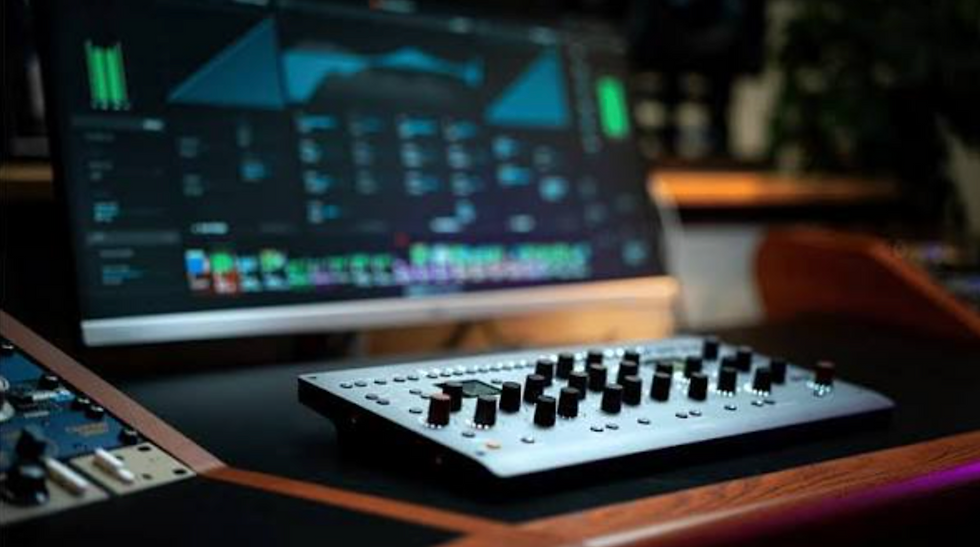
Let's be clear: the world of DAW controllers is full of half-promises.
They sell us the dream of mixing "like on an analog console", but we often end up staring at the screen even more, wasting time mapping parameters.
After waiting for the initial hype to die down, I thoroughly tested the Softube Console 1 MkIII here in my studio. I wanted to see if the issues of the older generations had actually been fixed.
📌 What is the Softube Console 1 MkIII? (Quick Summary)
It's a premium hardware controller to manage EQs, compressors, and saturators while mixing.
It features dual high-resolution displays for immediate visual feedback without looking at the computer.
It automatically maps third-party plugins like FabFilter, Universal Audio, and Plugin Alliance.
On DAWs like Studio One, it controls volume, pan, and sends, almost entirely eliminating the need for a mouse.
Here is how it really performs in the field and why it changes the way you work.
How does the studio workflow change with the Console 1 MkIII?

Compared to the previous version and direct competitors, the hardware leap is massive. The knobs are solid, precise, and touch-sensitive.
The real game-changer is visual.
The two built-in displays can be set to "adaptive" mode: they show exactly the parameter you're touching, such as the EQ curve or compressor gain reduction. This detail lets you stop staring at DAW graphs and get back to listening with your ears.
Plus, it relieves wrist stress from hours spent with the mouse, reducing fatigue at the end of the day.
Which plugins are compatible?
The historical limitation of the older model was being locked into the Softube plugin ecosystem. Beautiful plugins, sure, but limiting for those who already have their go-to tools.
With the MkIII, the ecosystem is open.
You can load your favorite tools right into the console's modules. Having a FabFilter Pro-Q 3 or a UAD compressor automatically mapped to physical controls is incredibly convenient.
You can even load two different EQs on the same channel (e.g., an SSL for color and a FabFilter for surgical tweaks) and switch between them with a single button.
How is the integration with Studio One?
Using it on Studio One/Fender Studio Pro, the integration is a tank. Without touching the keyboard, you can manage faders, pan, and up to 6 sends per channel, just by looking at the console displays. It becomes a complete physical extension of your software's mixer.
📺 Watch the Full Studio Test
Want to see exactly how the Console 1 MkIII handles a real mixing session? In the video below, I imported a multitrack and managed EQ, compression, and parallel sends, completely ditching the mouse logic. (Note: Video is in Italian).
Is your mix ready? Let's take it to the next level.
The Console 1 will help you finish mixes faster and with more musicality. But once the stereo file is exported, you need the guarantee that the track holds up against the industry giants on Spotify, Apple Music, and in any club.
My goal is to help producers get the best possible result from their tracks. I work daily with analog hardware chains, surgical monitoring systems, and high-end mastering converters to ensure maximum translation of your song wherever it's played.


Comments